Sign PDF Online for Free – Add Your Signature Securely
Sign PDF documents online with SPVN Tech. Draw, type, or upload your signature, place it anywhere on your PDF, and save the signed document directly from your browser with a privacy-focused client-side signing experience.
Sign PDF Online for Free – Add Your Electronic Signature Easily
Need to sign a PDF document quickly without printing it, signing it with a pen, scanning it, and sending it back? With SPVN Tech Sign PDF, you can add your signature directly to a PDF from your web browser.
Whether you need to sign a contract, complete a form, approve a document, or handle everyday paperwork, signing a PDF online can save time and make the entire process much easier.
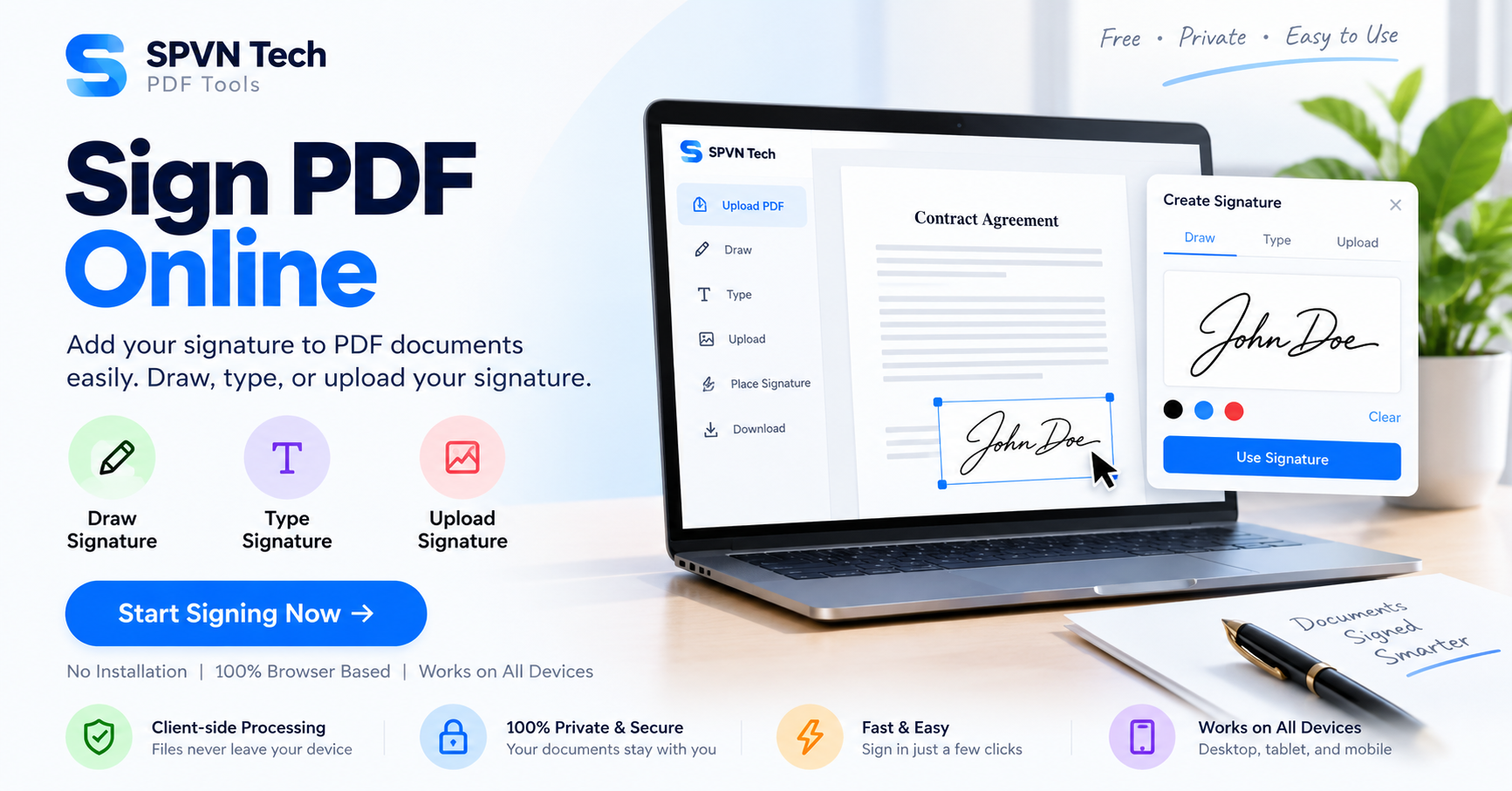
Sign PDF Online lets you create your signature by drawing it, typing your name, or uploading an existing signature image. You can then place the signature anywhere on your document, adjust its size and position, and save the completed PDF.
What Is an Online PDF Signature?
An online PDF signature is a digital way of adding your signature to a PDF document without needing to print the document first.
Traditionally, signing a PDF often meant downloading the file, printing it, signing it with a pen, scanning it, and then sending the scanned copy back. This can be inconvenient when you're working remotely or don't have access to a printer and scanner.
With an online PDF signing tool, the process becomes much simpler. You can open your PDF in your browser, create your signature, place it on the required area, and save the signed document.
SPVN Tech's Sign PDF tool is designed to make this process simple and accessible while keeping document privacy in mind.
How to Sign a PDF Online
Signing a PDF with SPVN Tech only takes a few simple steps.
Step 1: Upload Your PDF
Start by opening the SPVN Tech Sign PDF tool.
You can drag and drop your PDF into the upload area or select a PDF file from your device. Once the document is loaded, you can begin adding your signature.
Step 2: Create Your Signature
You can create your signature in different ways depending on what is most convenient for you.
- Draw your signature: Use your mouse, trackpad, touchscreen, or stylus to draw your signature.
- Type your signature: Enter your name and create a typed signature.
- Upload a signature image: If you already have a digital image of your handwritten signature, you can upload it.
These options make the tool useful on desktops, laptops, tablets, and compatible mobile devices.
Step 3: Place Your Signature
After creating your signature, place it on the PDF where it is required.
You can move the signature to the correct location and resize it so that it fits properly within the document.
If your document needs signatures in several places, you can add multiple signatures and position each one independently.
Step 4: Save Your Signed PDF
Once your signature is in the correct position, review the document and save it.
Your signed PDF can then be used for your intended purpose or shared with the person, company, or organization requesting the signed document.
Why Sign PDFs Online?
Digital document signing can make everyday paperwork much faster. You don't always need a printer, scanner, or desktop PDF application just to add a signature.
No Printing Required
You can sign a PDF digitally without printing it first. This saves paper and eliminates the extra steps involved in scanning a signed document.
Save Time
Instead of printing, signing, scanning, and emailing a document, you can complete the process directly in your browser.
Multiple Ways to Create a Signature
Some people prefer drawing their signature, while others may already have a signature image. SPVN Tech provides different ways to create or add a signature.
Easy Signature Placement
You can position your signature where it belongs and adjust its size to fit the document naturally.
No Dedicated PDF Software Required
The tool works through a web browser, so you don't need to install a separate PDF signing application just to add a signature.
Privacy-Focused PDF Signing
PDF documents can contain personal information, business information, contracts, forms, and other sensitive content. That's why privacy is an important consideration when choosing an online PDF tool.
SPVN Tech PDF Tools are designed around client-side processing. The Sign PDF tool can process the document directly in your browser rather than requiring the PDF to be uploaded to a remote server for signing.
This approach allows your document to remain on your device while you work with it.
Client-side processing can be particularly useful when you are working with documents that you don't want to send to an external service.
Can You Draw a Signature on a PDF?
Yes. The Sign PDF tool allows you to draw your signature directly.
You can use a mouse or trackpad on a computer, or use a touchscreen or stylus on a compatible device. This gives you a more natural handwritten signature experience.
After drawing your signature, you can place it on the appropriate part of your PDF.
Can You Type a Signature on a PDF?
Yes. If drawing a signature isn't convenient, you can type your name and use it as your signature.
This can be useful when you are working on a computer without a touchscreen or when you don't have an existing signature image available.
Can You Upload an Existing Signature?
Yes. If you already have an image of your handwritten signature, you can upload it and add it to your PDF.
This is convenient for people who frequently sign digital documents and already have a signature image prepared.
Can You Add Multiple Signatures?
Yes. A PDF may sometimes require signatures in more than one location. You can add multiple signatures and position them independently within the document.
This can be useful for forms, agreements, approval documents, and other paperwork where a signature is required in multiple places.
Who Can Use an Online PDF Signer?
An online PDF signing tool can be useful for many different types of users.
Students
Students can use PDF signing tools to sign applications, forms, declarations, and other documents that require a signature.
Freelancers
Freelancers often deal with contracts, agreements, invoices, and project documents. Digital signing can make these workflows faster.
Business Professionals
Professionals can use online PDF signing tools for documents that need approval or a signature before being shared with clients or colleagues.
Small Businesses
Small businesses can reduce unnecessary printing and scanning when handling routine documents electronically.
Remote Workers
When working remotely, you may not have access to a printer or scanner. An online PDF signer allows you to handle documents directly from your computer or mobile device.
Common Uses for PDF Signing
Contract Signing
Contracts and agreements often require signatures. When electronic signing is appropriate for the document, you can add your signature digitally instead of printing and scanning the paperwork.
Application Forms
Many application forms are distributed as PDFs. If the form requires a signature, you can add it directly to the document.
Business Approvals
Documents that require approval can sometimes be signed electronically, helping teams avoid unnecessary paper-based workflows.
Permission Forms
Permission forms and declarations can be completed digitally when an electronic signature is accepted.
Agreements and Documents
Various personal and business documents may require a signature before they can be submitted or shared.
Is an Electronic Signature Legally Binding?
The legal status of electronic signatures depends on the country, type of document, and circumstances in which the signature is being used.
Electronic signatures are recognized in many jurisdictions, but some documents may have additional requirements. Certain legal, financial, government, or regulated documents may require a specific type of digital signature, certificate, identity verification, or authentication.
For important legal or official documents, always check the applicable laws and requirements before relying on an electronic signature.
Can I Save My Signature for Later?
Yes. The Sign PDF tool can save your signature in your browser's local storage so that it can be accessed more easily in future sessions.
This can be convenient if you regularly sign documents and don't want to recreate your signature every time.
Keep in mind that browser storage is specific to your browser and device. Clearing browser data or changing devices may affect access to a previously saved signature.
Does the PDF Need to Be Uploaded to a Server?
The Sign PDF tool is designed for client-side processing. This means the document can be processed directly in your browser rather than being uploaded to a remote server for signing.
This privacy-focused approach is useful when you are working with documents that contain personal or confidential information.
Sign PDF on Your Browser
One of the biggest advantages of a browser-based PDF signer is convenience. You don't need to install a dedicated application just to add a signature to a document.
Simply open the tool, select your PDF, create your signature, place it where required, and save the signed document.
More Free PDF Tools from SPVN Tech
Signing PDFs is just one of the many things you can do with SPVN Tech PDF Tools.
You can explore the complete collection of browser-based PDF utilities from the SPVN Tech PDF Tools page.
- Edit PDF – Edit and annotate PDF documents.
- Form Filler – Fill PDF forms digitally.
- Add Stamps – Add stamps to PDF documents.
Frequently Asked Questions
How can I sign a PDF online?
Open the SPVN Tech Sign PDF tool, upload your PDF, create your signature by drawing, typing, or uploading an image, place the signature on the document, and save the completed PDF.
Can I sign a PDF for free?
Yes. You can use the SPVN Tech Sign PDF tool to add a signature to your PDF directly from your browser.
Do I need to install an application?
No. The tool is browser-based, so you can use it without installing dedicated PDF signing software.
Can I draw my handwritten signature?
Yes. You can draw your signature using a mouse, trackpad, touchscreen, or stylus.
Can I type my signature?
Yes. You can type your name and use the resulting signature on your PDF.
Can I upload a signature image?
Yes. You can upload an existing signature image and place it on the document.
Can I add more than one signature?
Yes. You can add multiple signatures and position them independently on the PDF.
Can I sign different pages?
Yes. You can place signatures on different pages of a PDF wherever they are required.
Are my PDF documents private?
The Sign PDF tool is designed for client-side processing, allowing your PDF to be processed directly in your browser instead of being uploaded to a remote server for signing.
Can I use Sign PDF on mobile?
Yes. You can access the browser-based tool from compatible mobile devices. Touch input can also make drawing a signature convenient on supported devices.
Final Thoughts
Signing a PDF shouldn't have to mean printing, signing, scanning, and emailing the document all over again.
With SPVN Tech Sign PDF, you can create a signature by drawing or typing, upload an existing signature image, place it on your document, and save the signed PDF directly from your browser.
Whether you're signing a contract, completing an application, approving a document, or handling everyday paperwork, an online PDF signer can make the process faster and more convenient.
And because the tool is designed around client-side processing, you can work with your documents while keeping the files on your own device.